Pick from anywhere
Choose files inside PhoneDrop or use Android Share from Gallery, Files and other apps.
 JENUXLABS
 PhoneDrop
Send directly between Android, macOS and Windows on the same local network. Transfers are encrypted in transit. No account and no cloud relay.
Want to know how PhoneDrop handles your files and privacy? Read privacy & safety →
See the app ↓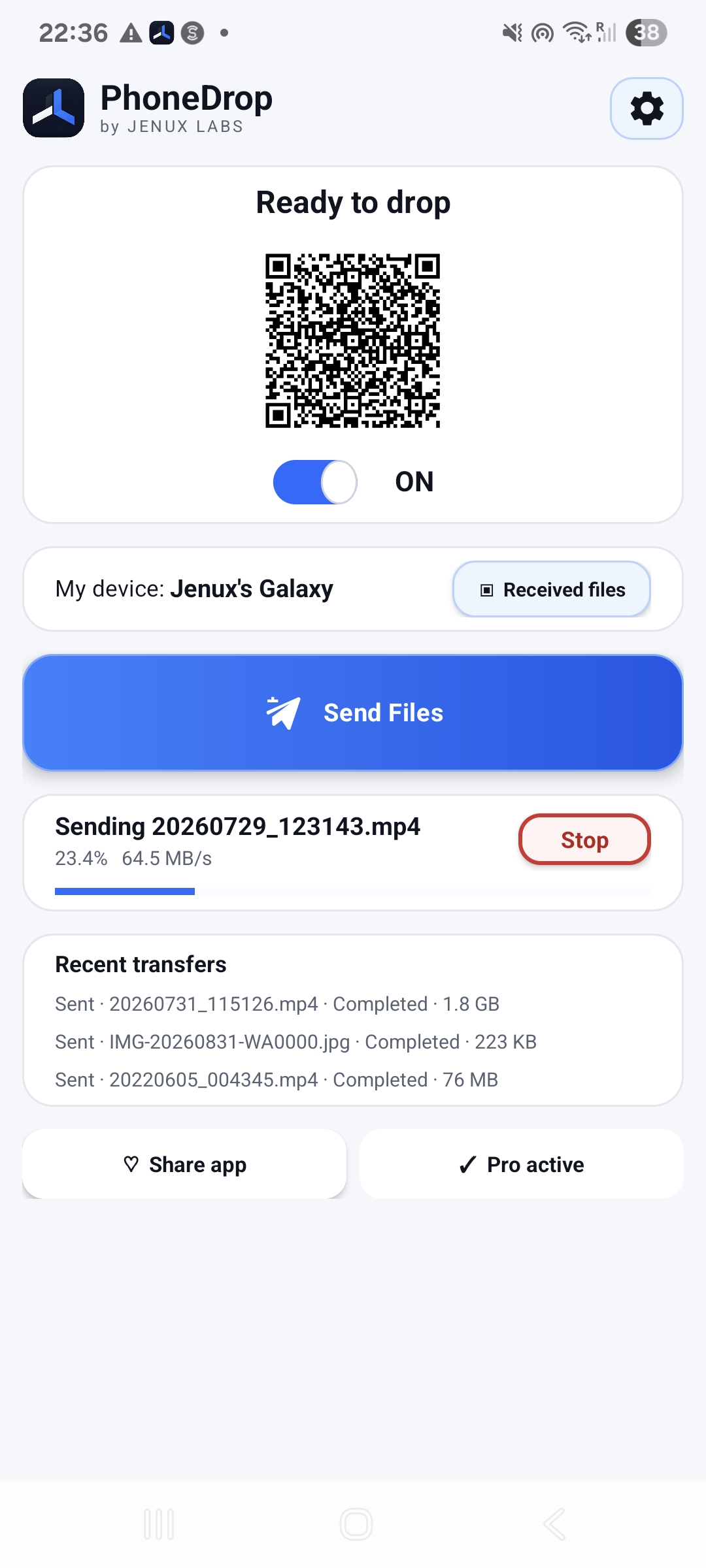
SIMPLE ON PURPOSE
Choose files inside PhoneDrop or use Android Share from Gallery, Files and other apps.
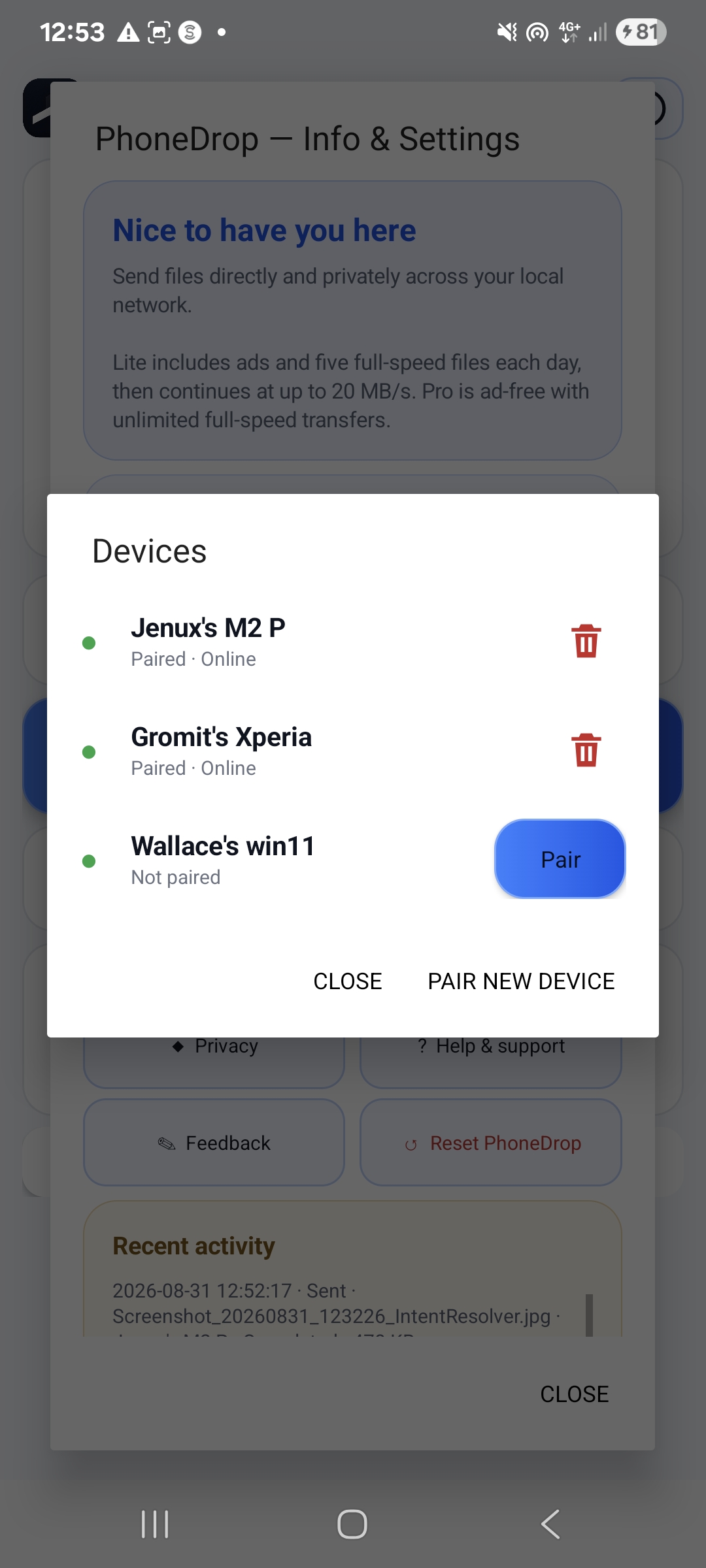
PhoneDrop remembers trusted devices without replacing your existing pairings.
Nearby discovery shows online devices and clear pairing controls.
Live progress, measured transfer speed and a real Stop button keep every drop understandable.
THE REAL APP
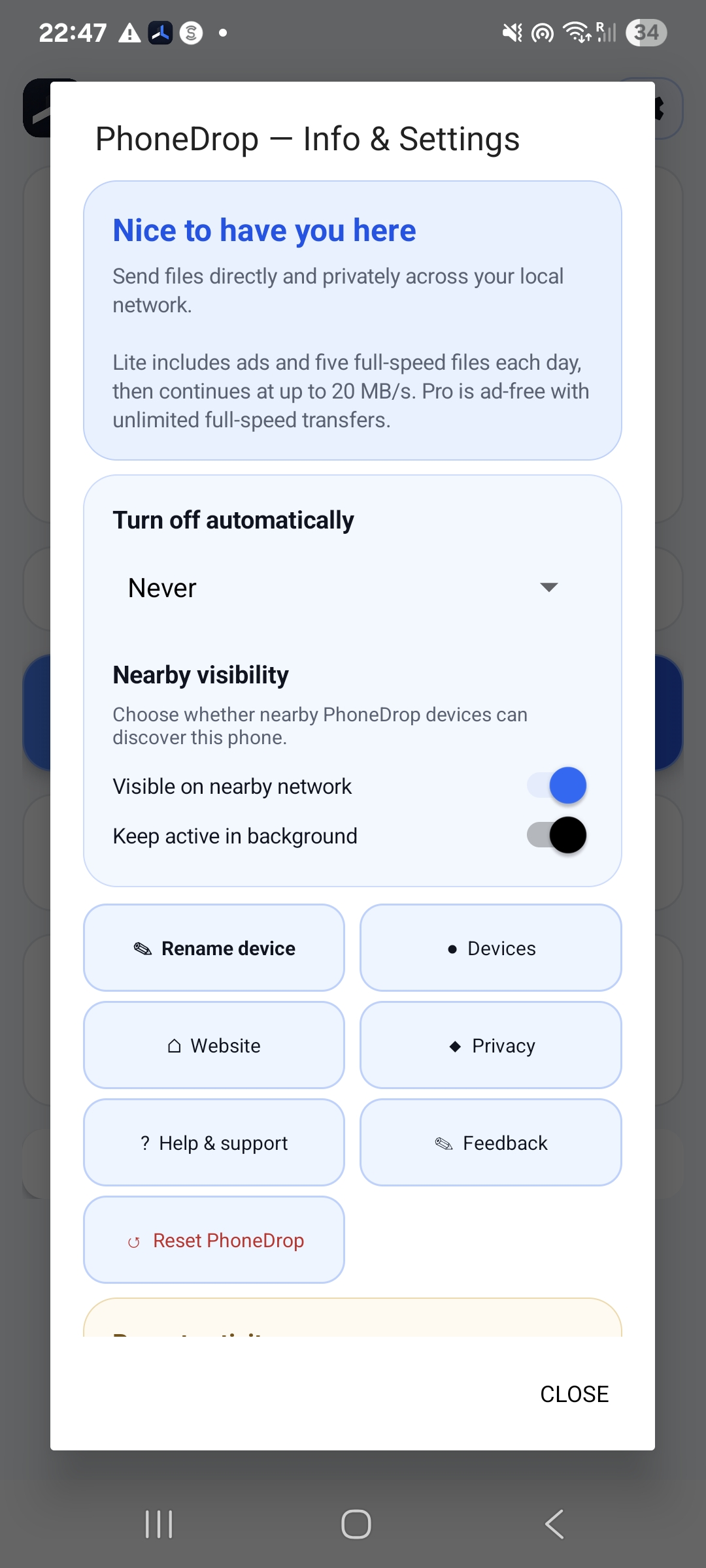
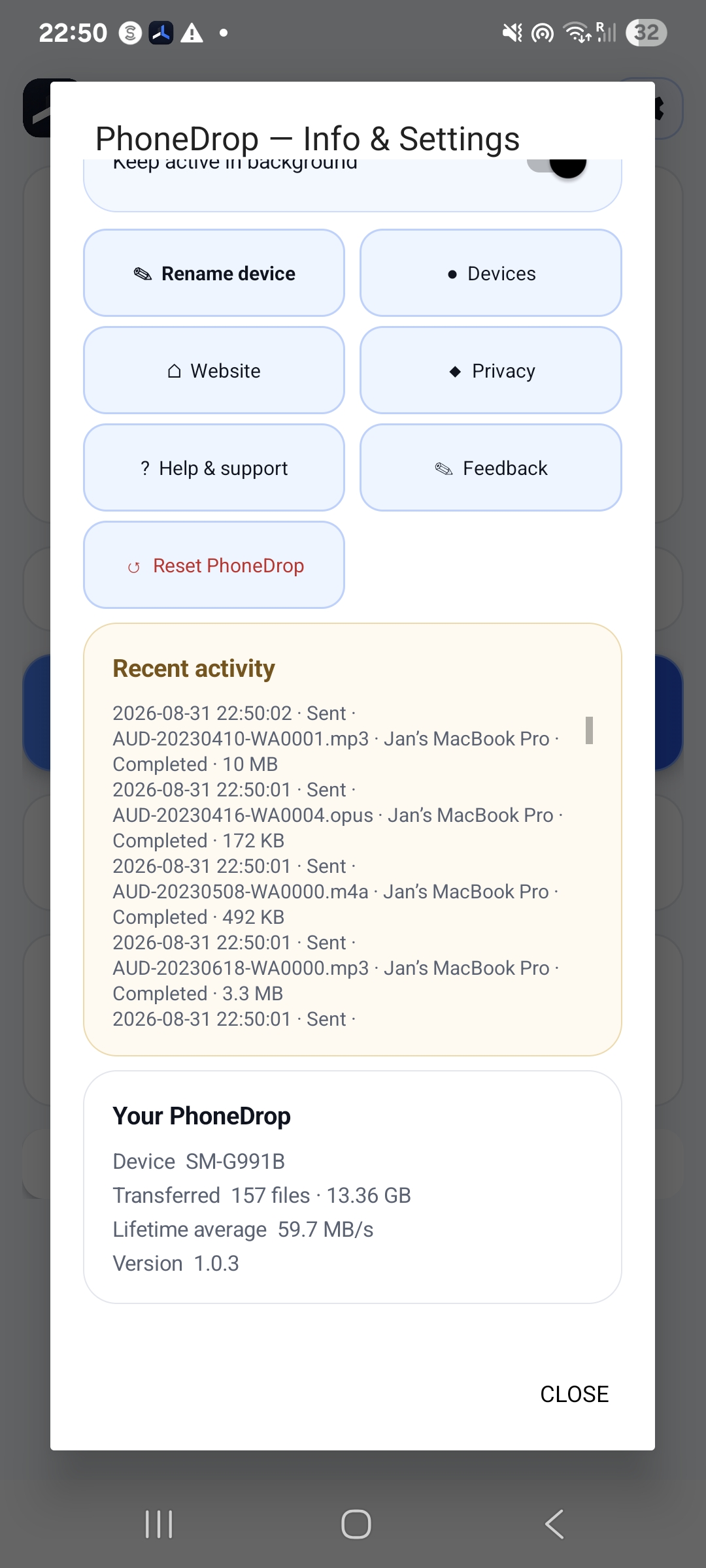
Nearby devices, settings and transfer history stay close without cluttering the main screen.
LOCAL-FIRST BY DESIGN
PhoneDrop transfers directly between devices on your local network. Jenux Labs does not receive or store the contents of your transfers.
DOWNLOAD
1.0.8 installer
1.0.4 disk image · ad-hoc signed
1.0.7 · closed testing
Use PhoneDrop on networks and devices you trust. Android 1.0.7 is offered through closed testing on Google Play and may require tester access. The macOS 1.0.4 disk image is ad-hoc signed, not notarized; first launch may require manual approval. Android Pro availability depends on the current testing stage.